
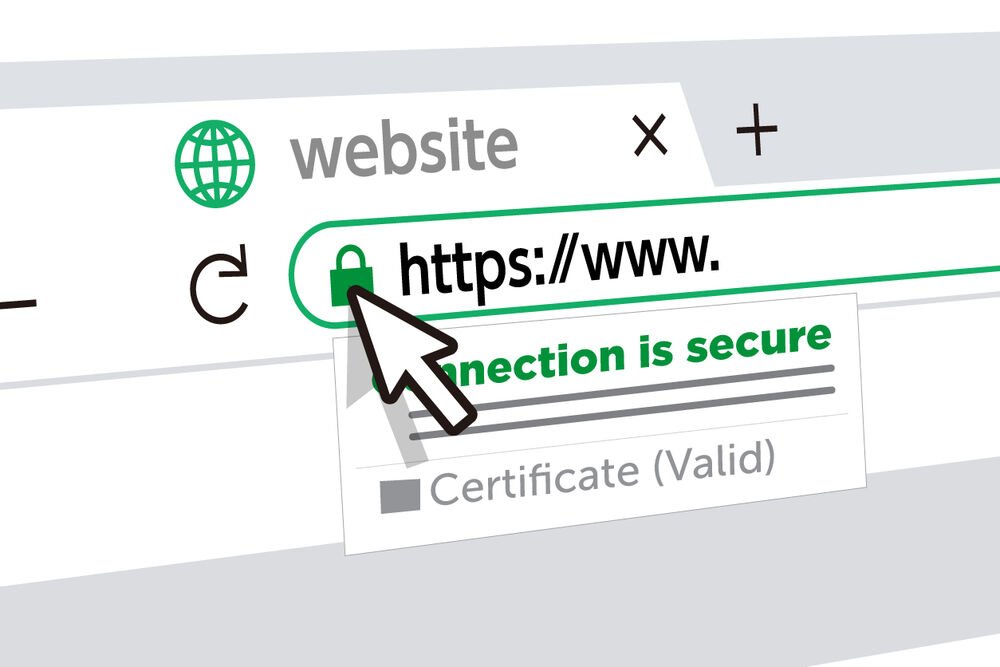
In the digital landscape, trust is a valuable currency. Website visitors need to feel confident that their information is safe when they interact with your site, whether they’re making a purchase, filling out a form, or simply browsing. One of the most fundamental tools for building this trust is an SSL certificate. You may have noticed the little padlock icon in your browser’s address bar or seen website addresses that start with “https://” instead of “http://”. These are the visible signs of SSL certs at work.
But what are SSL certs, really? They are small data files that digitally bind a cryptographic key to an organization’s details. When installed on a web server, they activate the padlock and the HTTPS protocol, allowing secure connections from a web server to a browser. This guide will walk you through everything you need to know about SSL certs, from their basic function to choosing and installing the right one for your website.
Contents
What Exactly Are SSL Certs?
SSL stands for Secure Sockets Layer. It is a standard technology for keeping an internet connection secure and safeguarding any sensitive data being sent between two systems. SSL certs are what make this secure connection possible. They prevent criminals from reading and modifying information transferred, including personal details, credit card numbers, or login credentials.
When a browser connects to a secure site, it retrieves the site’s SSL certificate and checks that it is valid, up-to-date, and issued by a trusted authority. This all happens in a fraction of a second. If everything checks out, the browser and the server establish an encrypted link for the session. This encryption scrambles the data into an unreadable format, protecting it from anyone trying to intercept it.
While the original SSL protocol has been replaced by the more modern and secure Transport Layer Security (TLS), the term “SSL” is still widely used. So, when you hear about SSL or TLS certificates, they are referring to the same thing. Essentially, purchasing and installing SSL certs is a critical step in securing your website.
Why Are SSL Certs So Important for Your Website?
Having an SSL certificate is no longer an optional extra for e-commerce sites; it’s a necessity for all websites. The importance of SSL certs extends beyond just encryption, impacting user trust, search engine rankings, and data integrity.
1. Data Encryption and Security: The primary function of an SSL certificate is to secure information transmitted between a user’s browser and your web server. This includes sensitive data like login credentials, credit card details, and personal information submitted through forms. Without encryption, this data is sent as plain text, making it vulnerable to interception by hackers.
2. Authentication and Trust: SSL certs do more than just encrypt data; they also verify the identity of your website. A trusted third-party, known as a Certificate Authority (CA), vets your organization before issuing a certificate. This verification process assures users that they are connected to your legitimate server and not an impostor site. The visible padlock icon and HTTPS prefix act as trust signals, telling visitors that your site is secure.
3. Better Search Engine Rankings: Major search engines like Google have made website security a priority. In fact, Google uses HTTPS as a ranking signal. This means that websites with installed SSL certs are likely to rank higher in search results than their non-secure counterparts. If you want to improve your site’s visibility, installing an SSL certificate is a straightforward step to take.
How Do SSL Certs Work?
The process behind SSL certificates involves a sequence of steps known as the “SSL handshake.” This is an automated communication between the browser and the web server that happens instantly when you visit a secure website.
Here’s a simplified breakdown of the handshake process:
- A browser attempts to connect to a website secured with an SSL certificate. The browser requests that the server identify itself.
- The server responds by sending a copy of its SSL certificate.
- The browser checks if it trusts the certificate. It verifies that the certificate is not expired, has been issued by a trusted Certificate Authority, and is being used by the website for which it was issued.
- If the certificate is trusted, the browser creates and encrypts a symmetric session key using the server’s public key, then sends it back to the server.
- The server decrypts the session key using its private key. This private key is kept secret and secure on the server.
- With the session key now established on both sides, the browser and server switch to using that key to encrypt all transmitted data for the remainder of the session.
This secure connection remains active until the user closes their browser or the session times out.
The Different Types of SSL Certs
Not all SSL certificates are the same. They vary in validation level and the number of domains they can secure. Understanding the different types of SSL certs will help you choose the right one for your specific needs.
Based on Validation Level:
- Domain Validation (DV) SSL Certs: This is the most basic and common type. The CA only verifies that the applicant owns the domain name. The validation process is usually automated and fast, making DV certs affordable and easy to obtain. They are suitable for blogs, small websites, and sites that don’t handle sensitive user data.
- Organization Validation (OV) SSL Certs: This type requires more validation. The CA vets the organization’s details, such as its name, location, and legal existence. An OV certificate provides a higher level of trust because it confirms the identity of the business behind the website. It is a good choice for public-facing business websites that want to build credibility.
- Extended Validation (EV) SSL Certs: This offers the highest level of trust and security. The CA conducts a thorough background check of the organization according to strict industry standards. In the past, EV certs would enable a prominent green address bar in most browsers, though modern browsers have phased this out in favor of displaying the organization’s name next to the padlock. These certs are ideal for e-commerce sites, financial institutions, and any site handling highly sensitive data.
